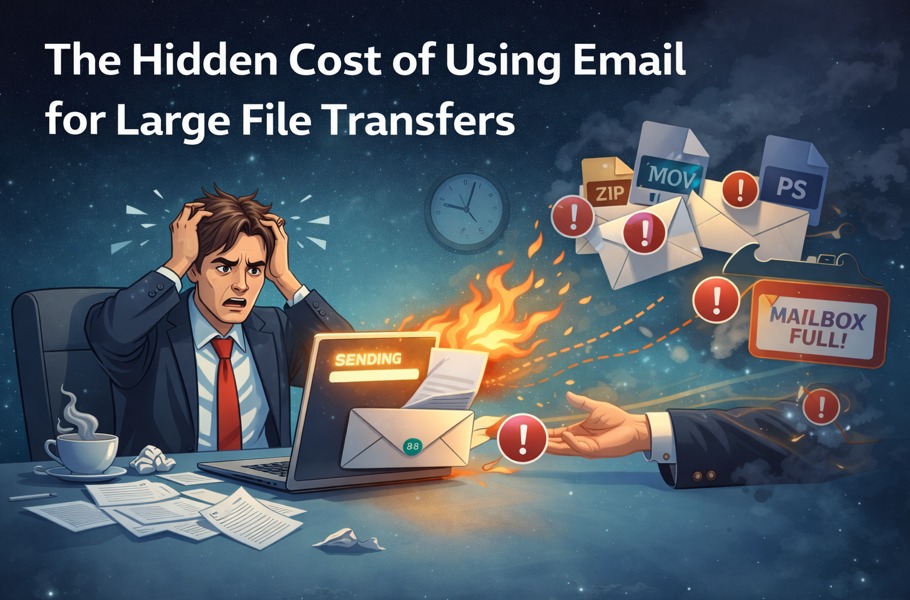
In the modern business landscape, efficient and secure file sharing is critical for smooth operations. Teams exchange large files daily, including high-resolution images, 4K videos, creative assets, and sensitive business documents. While email has been a staple for decades, it is increasingly inadequate for handling large files. Enter cloud-based file hosting, a solution designed for speed, security, and scalability.
This guide explores the differences between cloud-based file hosting vs traditional email attachments, highlighting why modern businesses are moving toward cloud solutions for file delivery.
The Limitations of Traditional Email Attachments
Email attachments have long been the default method for sharing files. However, they come with several significant limitations:
- File Size Restrictions
Most email providers cap attachments at 20–25MB. This is insufficient for:
- RAW images or TIFF files from professional photographers
- 4K and 8K video files
- Large design or marketing project assets
- Corporate datasets or presentations
Trying to send files larger than the limit often results in delivery failures or bounced emails.
- Compression and Quality Loss
Even if a file can be attached, many email services automatically compress attachments:
- Images may lose resolution
- Videos can degrade in quality
- Multi-layered design files may not retain all details
This compromises the professional quality of your work.
- Security Concerns
Email attachments are inherently insecure:
- Files can be intercepted in transit
- Unauthorized forwarding can occur
- Files remain stored on multiple servers without encryption
Sensitive business files are at risk if sent via traditional email.
- Workflow Inefficiencies
Managing large projects via email leads to confusion:
- Multiple versions of files are often sent separately
- Tracking who downloaded or received files is difficult
- Collaboration becomes cumbersome when team members rely on multiple email threads
For businesses, these inefficiencies cost time and create frustration.
What Cloud-Based File Hosting Offers
Cloud-based file hosting services, like FileSplash, solve the limitations of email attachments. They provide a centralized platform for uploading, storing, and sharing files of any size securely and professionally.
- Unlimited or Large File Support
Unlike email, cloud hosting allows you to upload extremely large files without compression or splitting. Whether it’s a video campaign, high-resolution image library, or project folder, cloud platforms handle it all efficiently.
- Enhanced Security
Cloud platforms offer advanced security features:
- End-to-end encryption
- Password-protected links
- Download limits and expiration dates
- Detailed access logs
These features ensure files remain confidential and secure while maintaining client trust.
- Professional and Branded Delivery
Many cloud platforms allow branding for your download pages:
- Display your logo, colors, and messaging
- Provide organized folders and instructions for clients
- Enhance the professional perception of your business
Branded delivery distinguishes your business from competitors relying on generic email attachments.
- Efficient Collaboration and Workflow
Cloud hosting simplifies teamwork:
- Centralized access ensures everyone uses the latest file version
- Multiple team members or clients can access files simultaneously
- Real-time updates and version control reduce errors
This eliminates the confusion and delays associated with multiple email attachments.
- Scalability
As file volumes grow, cloud platforms scale seamlessly:
- No need to upgrade email servers or accounts
- Storage and transfer capacity can expand with your business
- Supports distributed teams and global clients without slowing down
Comparing Cloud-Based File Hosting vs Email Attachments
| Feature | Email Attachments | Cloud-Based File Hosting (FileSplash) |
| Maximum File Size | 20–25MB | Unlimited or very large |
| File Quality | Often compressed | Preserved at full resolution |
| Security | Minimal | End-to-end encryption, access control |
| Branding | None | Customizable, professional delivery pages |
| Collaboration | Limited | Real-time access, version control |
| Tracking | Minimal | Detailed download logs and analytics |
| Workflow Efficiency | Low | Streamlined, centralized, faster delivery |
| Scalability | Poor | Excellent, scales with business needs |
Use Cases for Cloud-Based File Hosting
Marketing and Creative Agencies
- Deliver multi-gigabyte campaign assets to clients
- Preserve original file quality
- Use branded links to reinforce professionalism
Photographers and Videographers
- Share RAW images and 4K videos securely
- Avoid quality loss from email compression
- Simplify client downloads with organized, branded pages
Corporate Teams
- Send large reports, presentations, and confidential documents
- Ensure compliance with GDPR, HIPAA, or internal security policies
- Track who accessed files and when for accountability
Remote and Global Teams
- Enable team members in different locations to access files simultaneously
- Reduce delays and miscommunication
- Centralize all project assets in one secure location
Advantages of Moving to Cloud-Based File Hosting
- Time Savings
Upload once, share once. No repeated emails or troubleshooting failed attachments. - Security and Compliance
Protect sensitive information with encryption, controlled access, and tracking. - Professional Client Experience
Branded delivery pages enhance trust and reinforce your business’s image. - Better Collaboration
Teams can work on projects concurrently without confusion over versions. - Scalability for Growth
Cloud storage expands as your team and file requirements increase.
Implementing Cloud-Based File Hosting Successfully
- Select a Reliable Platform
Choose a platform designed for large file transfers and professional delivery, such as FileSplash. - Organize Files Properly
Group related files and provide clear naming conventions. - Customize the Experience
Add branding, instructions, or welcome messages to the download page. - Set Security Controls
Apply passwords, expiration dates, and download restrictions. - Track and Follow Up
Use analytics to see who accessed files and follow up with clients efficiently.
Final Thoughts
Email attachments served businesses well for small files, but in today’s data-driven, high-quality digital environment, they fall short. Cloud-based file hosting provides a modern, professional, and secure alternative.
By using a cloud-based file hosting service like FileSplash, businesses can:
- Share files of any size without compression
- Deliver them securely and professionally
- Enhance client trust and experience
- Improve workflow efficiency for internal teams
- Scale seamlessly as the organization grows
The choice between traditional email attachments and cloud-based file hosting is clear: enterprises, creative agencies, and professional teams looking for efficiency, security, and professionalism must embrace cloud solutions to stay competitive in 2026 and beyond.




More Stories
Convertible Sofa Bed: The Ultimate Guide to a Stylish Sofa Bed for Living Room Comfort
High-Quality Halal Vitamin D3: A Smart Choice for Better Health
The Ultimate Guide: Where Should You Shop Jeep Wrangler TJ Parts Online and Find JK Accessories?